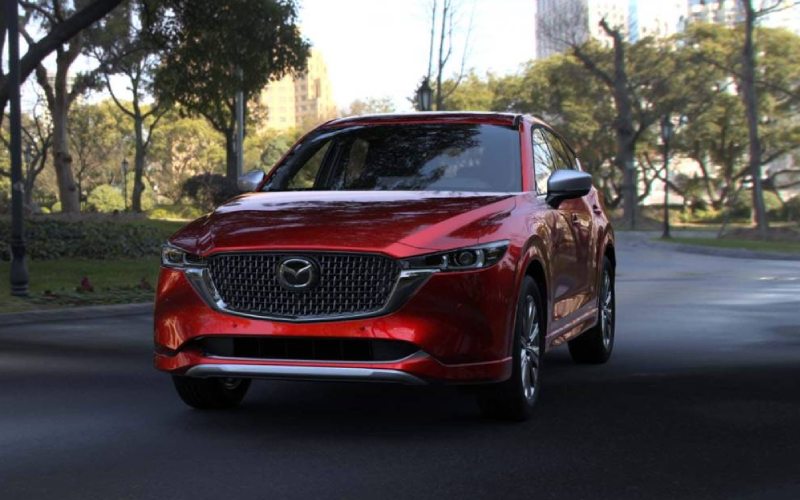
Cardinale Mazda - Does the 2025 Mazda CX-5 Offer Remote Engine Start with the MyMazda App for Pacific Grove, CA Drivers?
Remote Engine Start is one of those everyday conveniences that quickly becomes indispensable, especially when you want to precondition the cabin before an early commute or a coastal outing. If you’re considering this SUV around Pacific Grove, CA, here’s a closer look at how Mazda Connected Services and the MyMazda App bring helpful remote capabilities to your driveway—and what to expect from setup to daily use.
First, compatibility matters. Mazda Connected Services is designed to work with your vehicle and the MyMazda App to enable a suite of remote features on compatible models, including Remote Engine Start, remote door lock/unlock, and vehicle locator. It’s engineered to make ownership simpler, placing key functions on your phone so you can manage them without being in the driver’s seat. This coordinated approach reflects Mazda’s overall focus on intuitive technology—keeping the learning curve light while delivering practical benefits that you’ll appreciate every day.
Once you’ve downloaded the MyMazda App and registered your vehicle, Remote Engine Start is straightforward. In everyday use, you can start the engine remotely to help bring the cabin closer to your comfort zone before you set off—useful for warming up on cool mornings or ventilating on warmer days. The app’s interface makes it easy to confirm status, too, so you can quickly check whether your doors are locked or the engine is running. Just as important, the integration complements in-vehicle features like the 10.25-inch center display with Mazda Connect™, compatible Apple CarPlay™ and Android Auto™, and available Bose® audio, keeping the experience cohesive whether you’re in the cabin or controlling essentials from your phone.
- Account setup: Create or sign in to your MyMazda account, then add your vehicle using the VIN to link services properly.
- Feature activation: Follow the in-app prompts to enable Mazda Connected Services and confirm Remote Engine Start availability on your model.
- Usage basics: Start or stop the engine remotely from the app, and check vehicle status indicators for peace of mind.
- Practical tips: Use Remote Engine Start a few minutes before leaving to help the cabin reach a comfortable temperature.
- Ownership support: Explore additional tools within the app, including service reminders and maintenance logs, to stay on top of care.
Beyond remote functionality, it’s worth considering how the rest of the vehicle’s technology ecosystem supports your day. The 10.25-inch display with Mazda Connect™ is designed for clarity without distraction. Compatible Apple CarPlay™ and Android Auto™ help streamline navigation, messaging, and music, while available driver-assistance features like Mazda Radar Cruise Control with Stop & Go and Smart Brake Support add confidence on longer drives. Together with standard i-Activ AWD® for year-round traction and available Mi-Drive modes for tailoring the drive, the tech story is both practical and thoughtful.
Frequently Asked Questions:
Do I need a subscription for Remote Engine Start?
Mazda Connected Services access is required to use Remote Engine Start on compatible vehicles. After you register your SUV in the MyMazda App and activate services, you can control remote functions from your phone. Details may vary by model and term.
Will Remote Engine Start remember my last climate settings?
When you use Remote Engine Start, the system can operate in line with your vehicle’s climate control settings, helping bring the cabin toward your preferred temperature before you get in.
Is the setup process complicated?
Setup is designed to be user-friendly. After creating a MyMazda account, add your vehicle by VIN, enable Mazda Connected Services, and follow prompts to confirm remote features. If you prefer, we can walk you through it during your visit.
How does this fit with the rest of the SUV’s technology?
Remote capabilities complement in-cabin tech. The 10.25-inch display with Mazda Connect™ anchors daily use, while compatible Apple CarPlay™ and Android Auto™ keep your apps organized. It’s a cohesive system that supports both convenience and focus behind the wheel.
For shoppers comparing tech across compact SUVs, this approach stands out because it’s cohesive and easy to live with. You get meaningful remote functions via the MyMazda App, an intuitive in-vehicle interface, and available driver-assistance features that add confidence without complexity. If you’d like a guided setup or a deeper dive into features, Cardinale Mazda is happy to help—our team is serving Carmel Valley Village, Carmel Highlands, and Pacific Grove with hands-on support and clear, step-by-step assistance tailored to your needs.